
Custom App Avatars
Sep 17, 2026 · 4 steps
- 1
Step 1
Build the avatar
Open avatars.bible-strong.app. The studio builds procedural 2D avatars in SVG, so everything stays sharp at any size and weighs almost nothing.
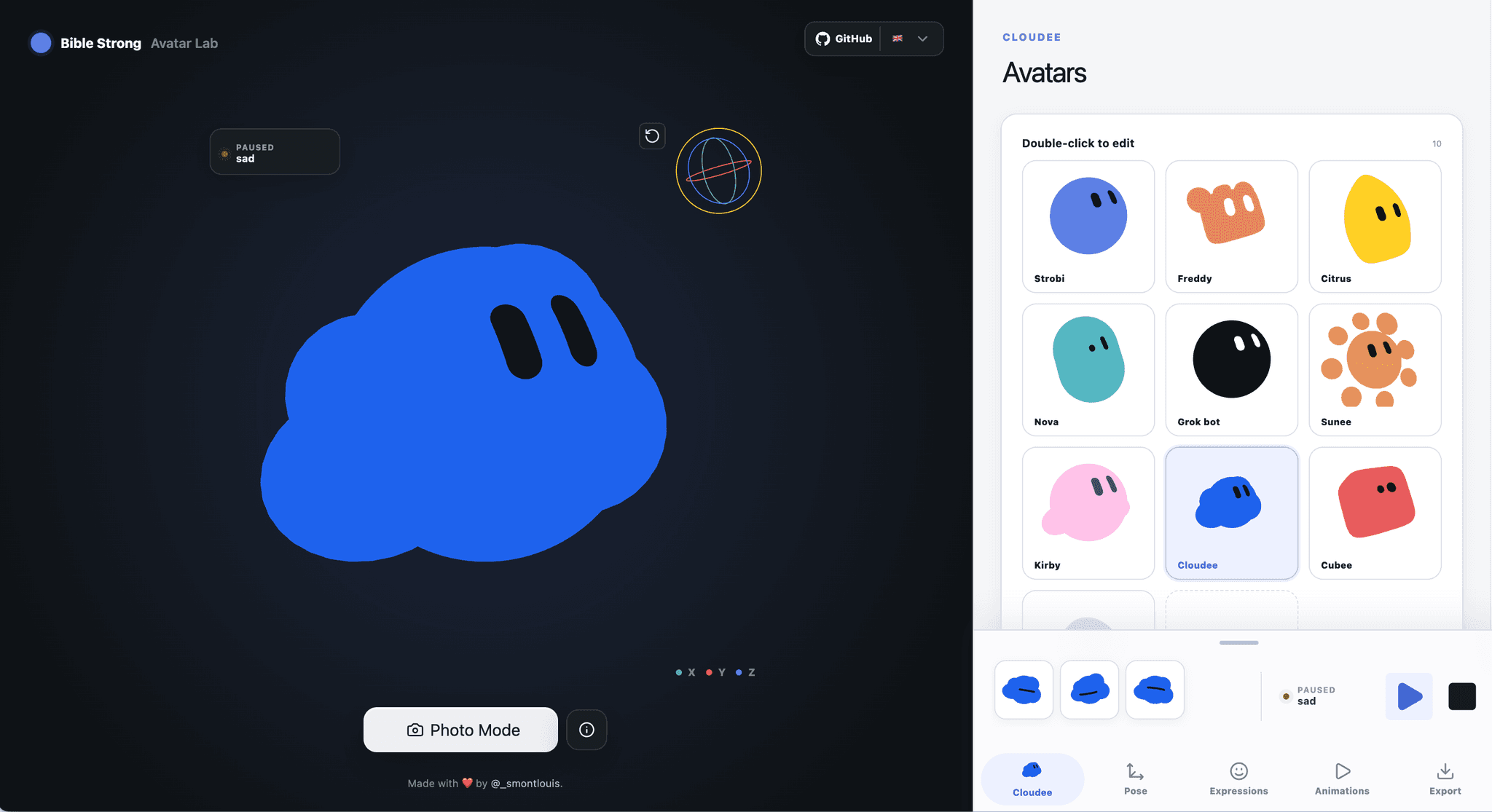
Three things to set up before you export:
- The body. Compose the face from the surfaces and primitives in the editor.
- The expressions. These are named presets with their own color and eye overrides. Name them for the states you actually need, not for emotions.
idle,typing,error,successwill serve you better thanhappyandsad. - The animations. Sequences of expressions with your own timing and transitions.
Export as a
.avatar.jsonfile. That single file drives both renderers, so the avatar cannot look different in React than it does in the studio.Name your expressions after interface states. This is the whole trick. Claude wires the avatar to your form by matching expression names to events, so an expression called
errorgets connected correctly on the first try. An expression calledgrumpyneeds you to explain what it means. - 2
Step 2
Hand it to Claude Code
Copy the repo link, paste it into Claude Code, and describe what you want to build with it. Here is the prompt I used for the reactive sign up page:
PromptRead this repo: https://github.com/smontlouis/bible-strong-avatar-lab It is a procedural 2D avatar system. Avatars are defined in .avatar.json files and rendered with @bible-strong/avatar-react. Expressions are named presets and animations are sequences of expressions. Build me a single-page sign up form that uses this avatar as the centerpiece, and make the avatar react to the user in real time: - Idle when nothing is focused - Looks toward the field that is currently focused - Covers its eyes while the password field has focus - Plays the error expression when a field fails validation on blur - Plays the success expression when the form submits cleanly The form has: name, email, password, and a submit button. Use React with Tailwind. Centered layout, generous spacing, one accent color. Keep the avatar large - it is the hero of the page, not an icon. Wire the reactions through the avatar's expression API, do not fake them with CSS. Show me the component structure before you write the full implementation.
Voice note it instead of typing it. I dictate prompts this long rather than typing them. You describe the interaction the way you would explain it to a person, and you end up giving Claude more context than you would have bothered to type out.
Hit enter and let Claude cook. Read the component structure it proposes before you let it build everything, since fixing the structure later costs far more than fixing it now.
- 3
Step 3
Iterate, because the first result is never the good one
The first pass works. It is also plain. That part is on you, not on the model.
The two prompts that made the biggest difference:
PromptAdd a soft glowing effect behind the avatar blob. It should pulse slowly while idle and get brighter for a moment on a successful submit. Use the accent color at low opacity, no hard edges.
PromptMake the avatar's eyes follow the mouse cursor across the whole page. Cap the rotation so the eyes never leave the face, and ease the movement so it feels alive rather than mechanical. Stop following while an input is focused - the avatar should look at the active field instead.
One change per prompt. Bundling four visual changes into one message is how you end up with a version that fixed two things and broke the other two, with no clean way back. Change one thing, look at it, keep it or revert it.
- 4
Step 4
Kill the generic look with Limora AI
After the iterations, the interaction was right and the design still felt like every other AI-generated page. A flat background is what gives it away.
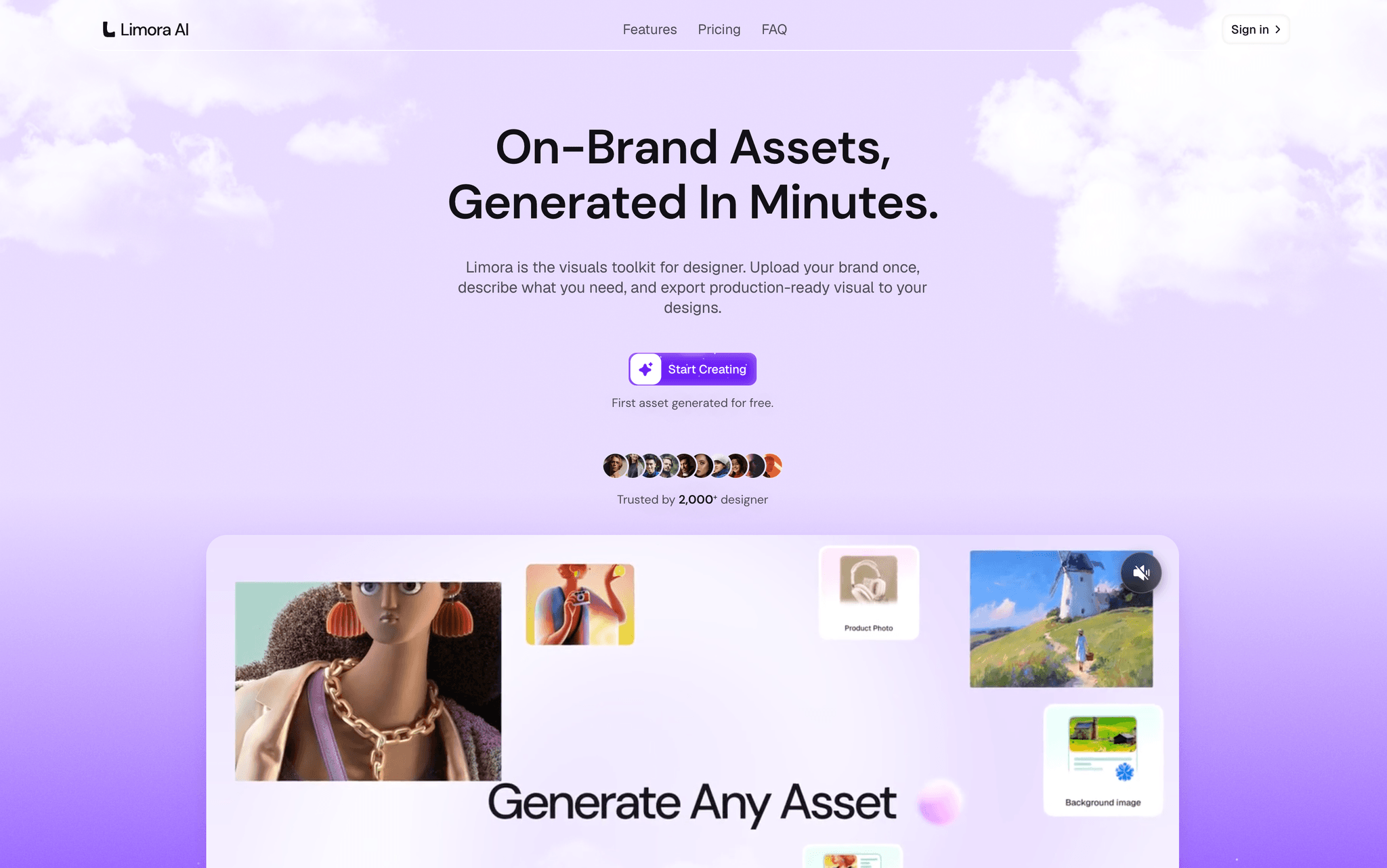
- Open Limora AI and install the MCP - it is one click from the integrations panel.
- Restart Claude Code so it picks up the new MCP server.
- Ask for the background directly in your Claude Code session:
PromptUsing the Limora MCP, generate an on-brand hero background for this sign up page. Abstract, soft gradient mesh, built around my accent color, dark enough that white text stays readable on top of it. Then wire it into the page as the full-bleed background behind the avatar.
Claude generates the image through Limora and drops it into the layout in the same pass. That single step is the difference between a demo and something you would actually ship.
Set your brand kit in Limora first. If your colors and fonts are already in the brand kit, the generated background comes back on-brand instead of on-trend, and you skip three rounds of regenerating.
Where else this works
The sign up page is one use. The same avatar file, wired to different events, covers a lot of ground.
| Where | What the avatar reacts to |
|---|---|
| Onboarding flow | Step changes - a different expression per step, so progress is felt rather than read |
| AI chat product | Thinking, streaming, and finished states, instead of a spinner |
| Empty states | Idle animation that gives a blank screen some personality |
| Error and 404 pages | The error expression, which turns a dead end into a moment |
| Pricing or checkout | Success expression on completed payment |
Troubleshooting
| Problem | Fix |
|---|---|
| The avatar renders but never reacts | Claude probably built its own state instead of using the expression API. Tell it to drive every reaction through the avatar's expressions and name the exact expressions from your JSON file. |
| Expressions snap instead of blending | No transition timing is set on the animation. Go back into the studio, add transitions between expressions, and re-export the JSON. |
| The avatar looks right in the studio and wrong in the app | You are on a stale export. Re-export the .avatar.json and replace the file in the project - the studio does not push updates to your code. |
| Eye tracking feels twitchy | The mouse position is being applied with no easing. Ask for a damped or eased follow with a capped rotation range. |
| Limora MCP does not show up in Claude Code | Restart the session. MCP servers are only loaded at startup, so an install mid-session is invisible until you relaunch. |
| The page still looks generic after the background | Background alone will not carry it. Increase the avatar size, cut the number of colors to one accent, and add more spacing than feels comfortable. |
Tips
- Build the avatar before you prompt. Claude wires up what exists far better than it invents what does not.
- Keep the avatar large. The whole point is that it is the hero, and shrinking it to an icon throws away the reason you built it.
- Fewer expressions, better named. Four states that map to real events beat twelve that map to moods.
- Commit after every version you like. Iterating on a reactive interface is where you most want a version to fall back to.
- Show the interaction in your own demos, never a static screenshot. The reaction is the product.